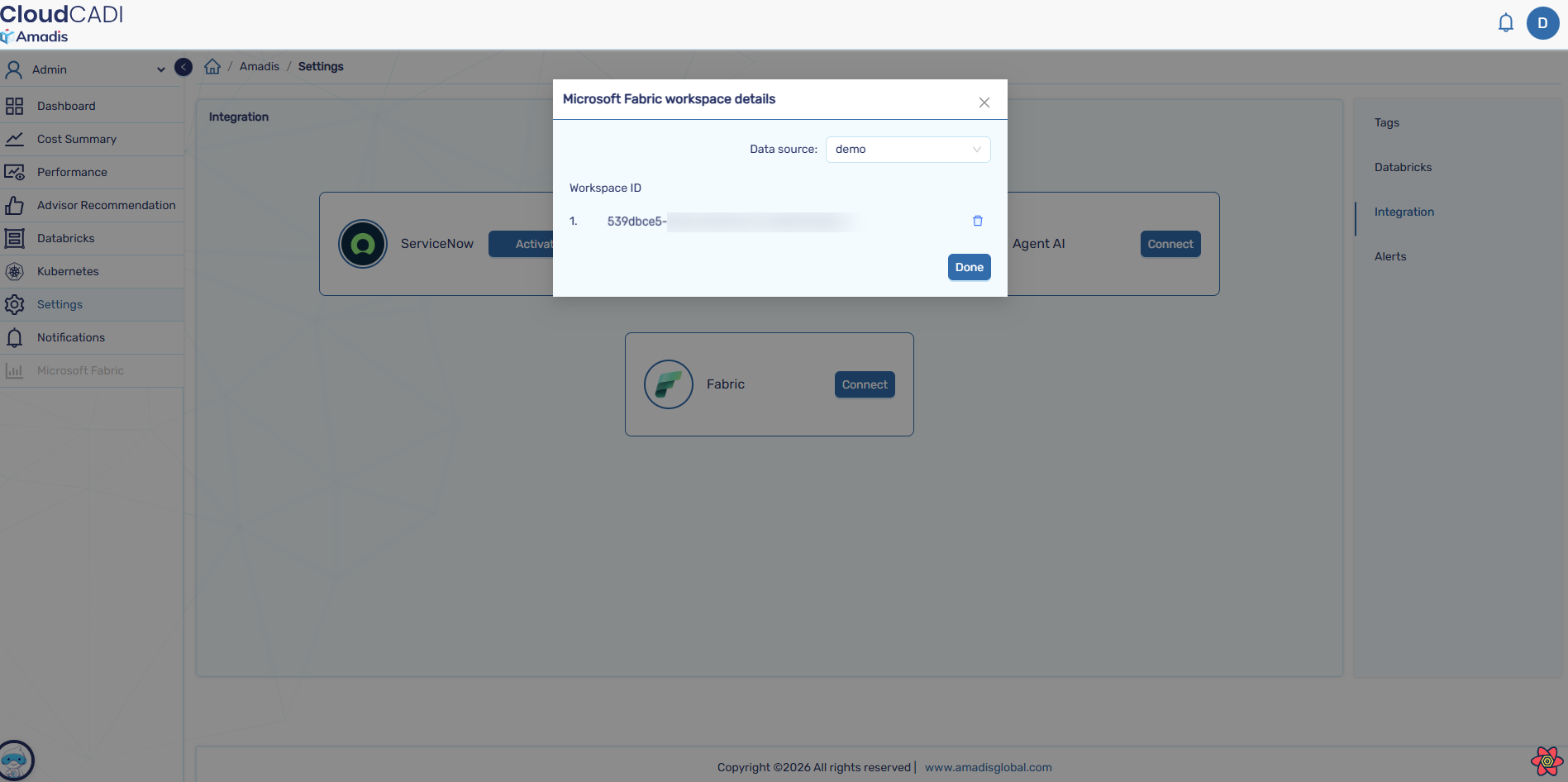
Workspace Integration
Fabric Workspace Integration
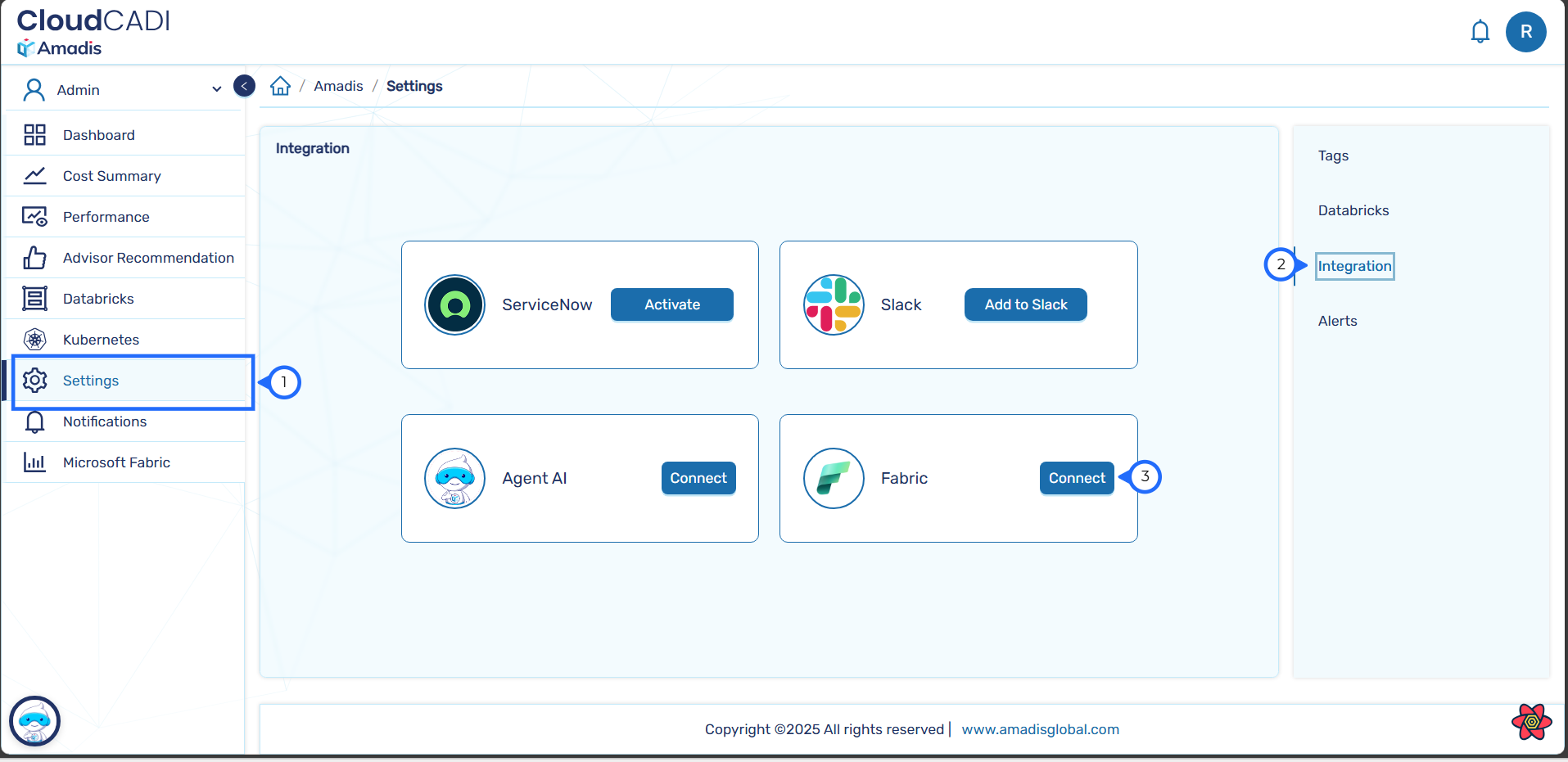
Step 1 : Login to the cloudCADI app with azure credentials and go to the settings page.
Step 2 : Select "Integration" tab in the settings page.
Step 3 : Click "connect" in Fabric.
Step 4 : Select the data source from the filter where the Fabric Workspace ID needs to be integrated.
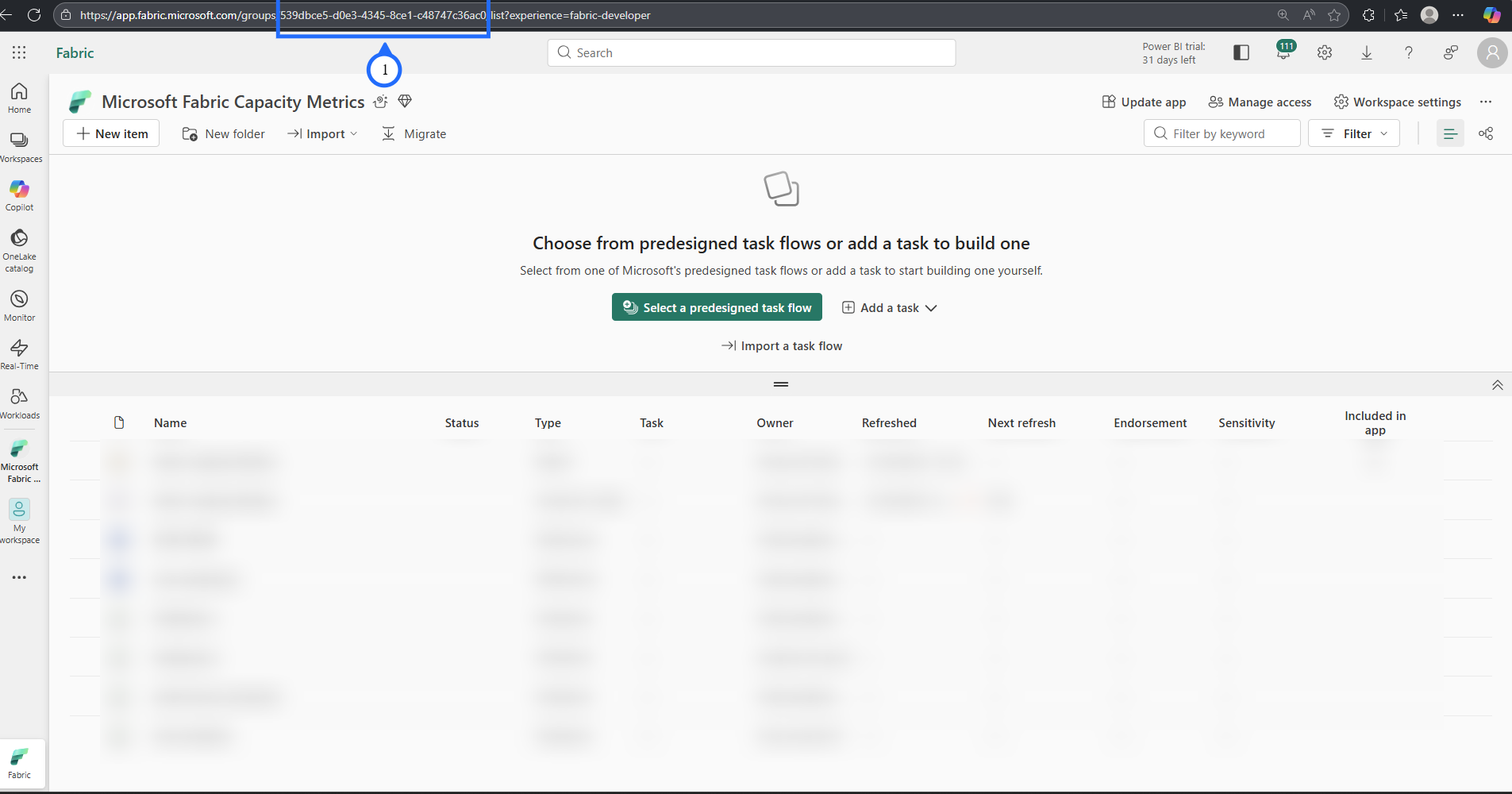
How to get Workspace Id ?
- Go the Fabric portal and select the specific Microsoft Fabric Capacity Metrics workspace where you want to create and run the notebook which was auto generated during the metric app installation.
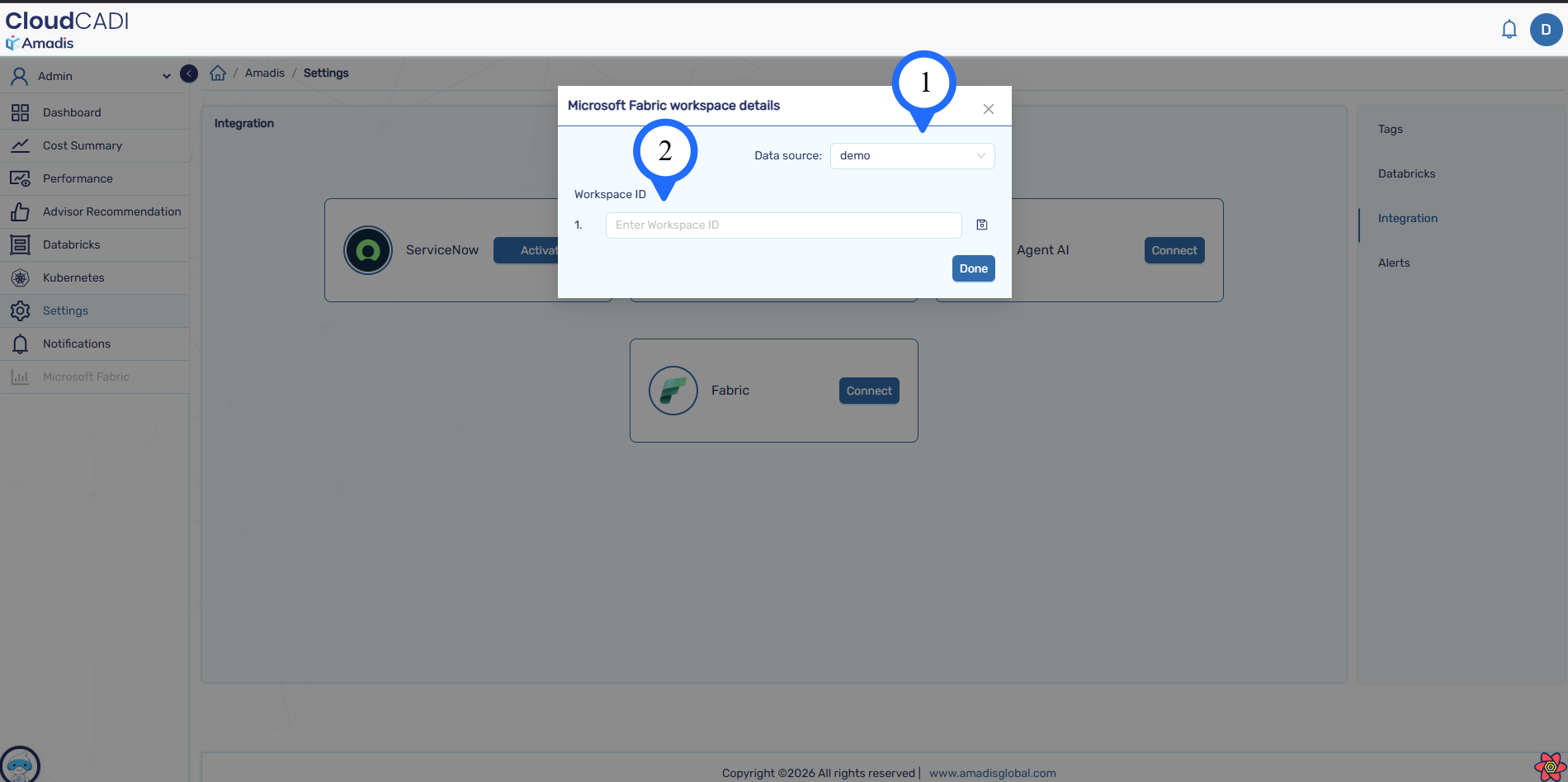
Step 5 :Enter the Workspace ID in the input field, save it, and click Done. By doing this, Microsoft Fabric will be enabled.