User Management (Admin)
Step 1 - User Account Creation
- Log in to CloudCADI using an Admin account.
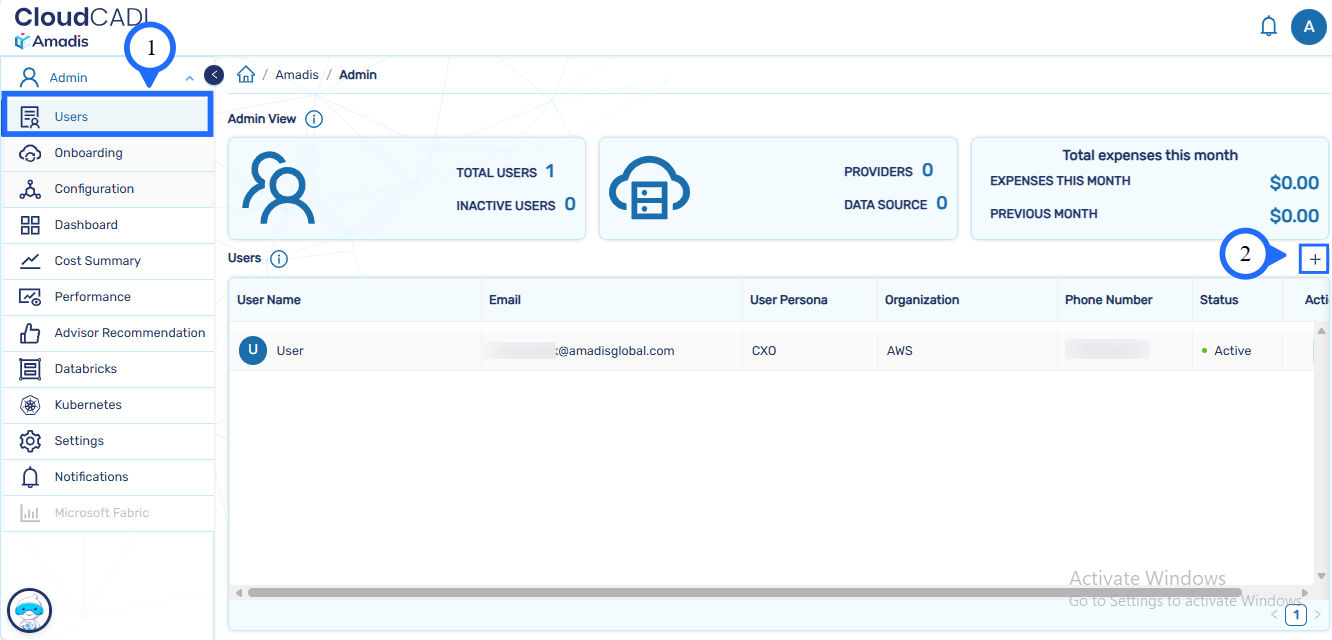
- Navigate to the Admin Dashboard.
- Open the Users or User Management section.
-
Click on + symbol present to the right-most adjacently placed to the Users
-
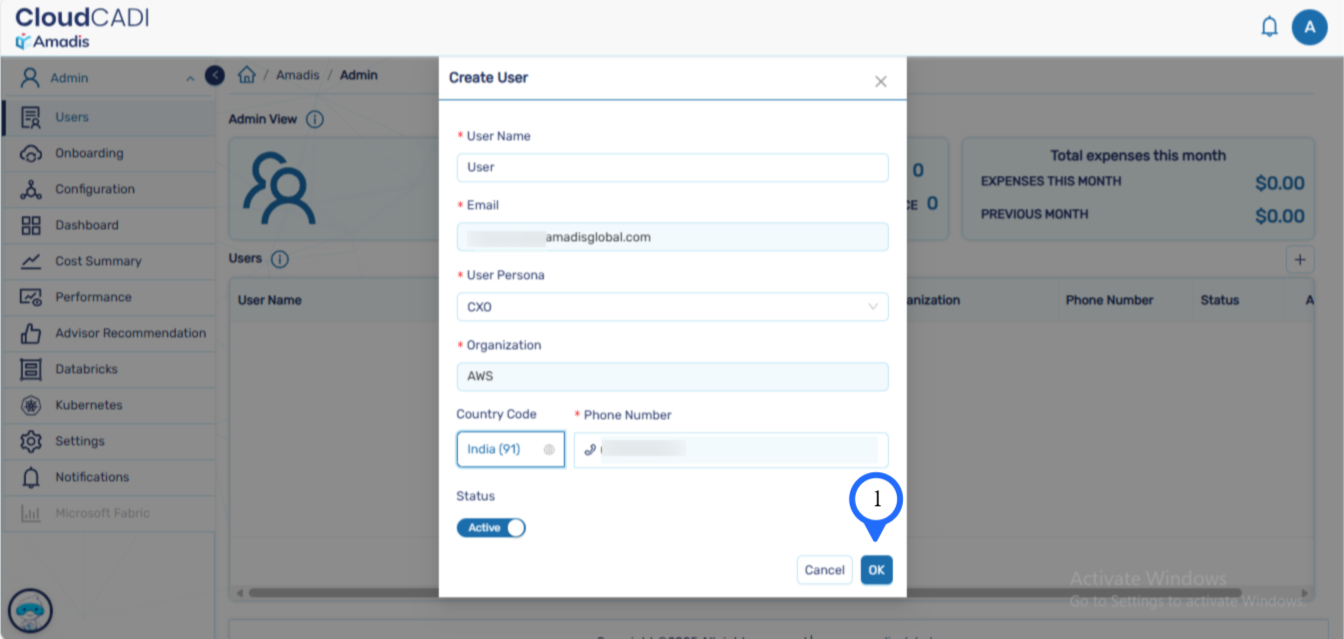
Enter the required user details:
- User Name
- Email Address
- User Persona (Finance / CXO / Engineer)
- Organization
- Phone Number
- Country Code
-
Set the account status to Active to enable user access.
-
Click OK to create the user account.
Step 2 - User Permissions
Note
Users cannot:
- Create user accounts
- Modify credentials
- Activate or deactivate accounts
Access is limited to the cloud accounts allocated by the Admin.
Step 3 - User Login and Account Verification
-
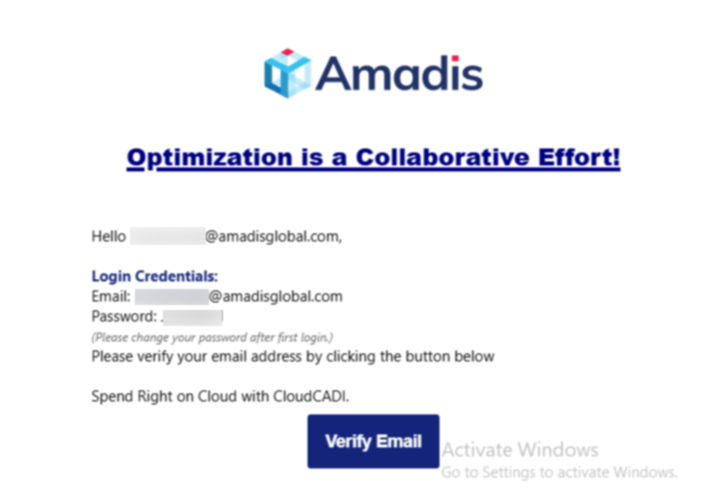
After the Admin creates a user account, the login credentials are sent to the user’s registered email address.
-
Click on the Verify Email button to complete the email verification process.
Note
Users can change their password after the first login.