Setting Up Cost Export
Scheduling Cost export to storage account
-
Login to your 'Azure Portal'.
-
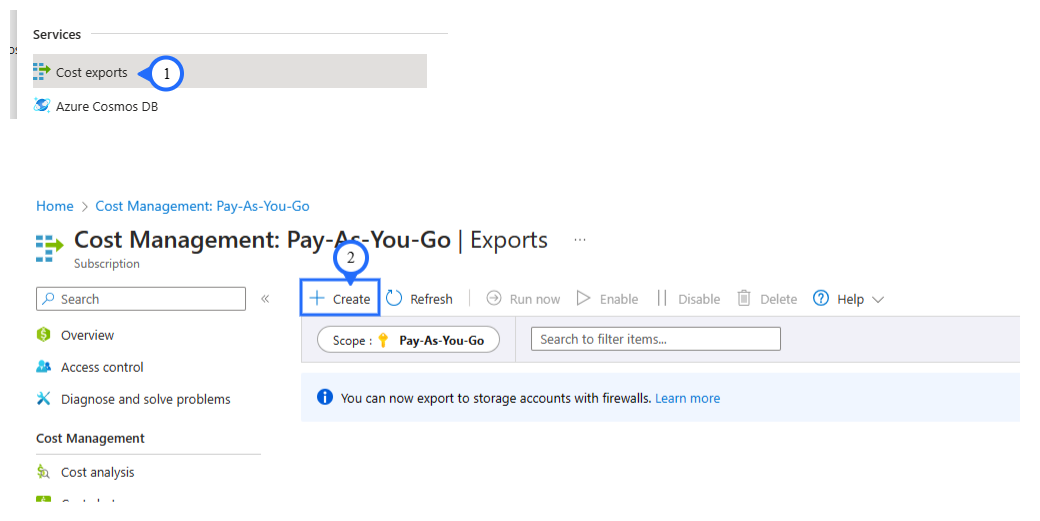
Search for “Cost Exports” in Azure Portal.
-
Click on “+ Create” for create a new export.
Step 1 - Section Export Details
-
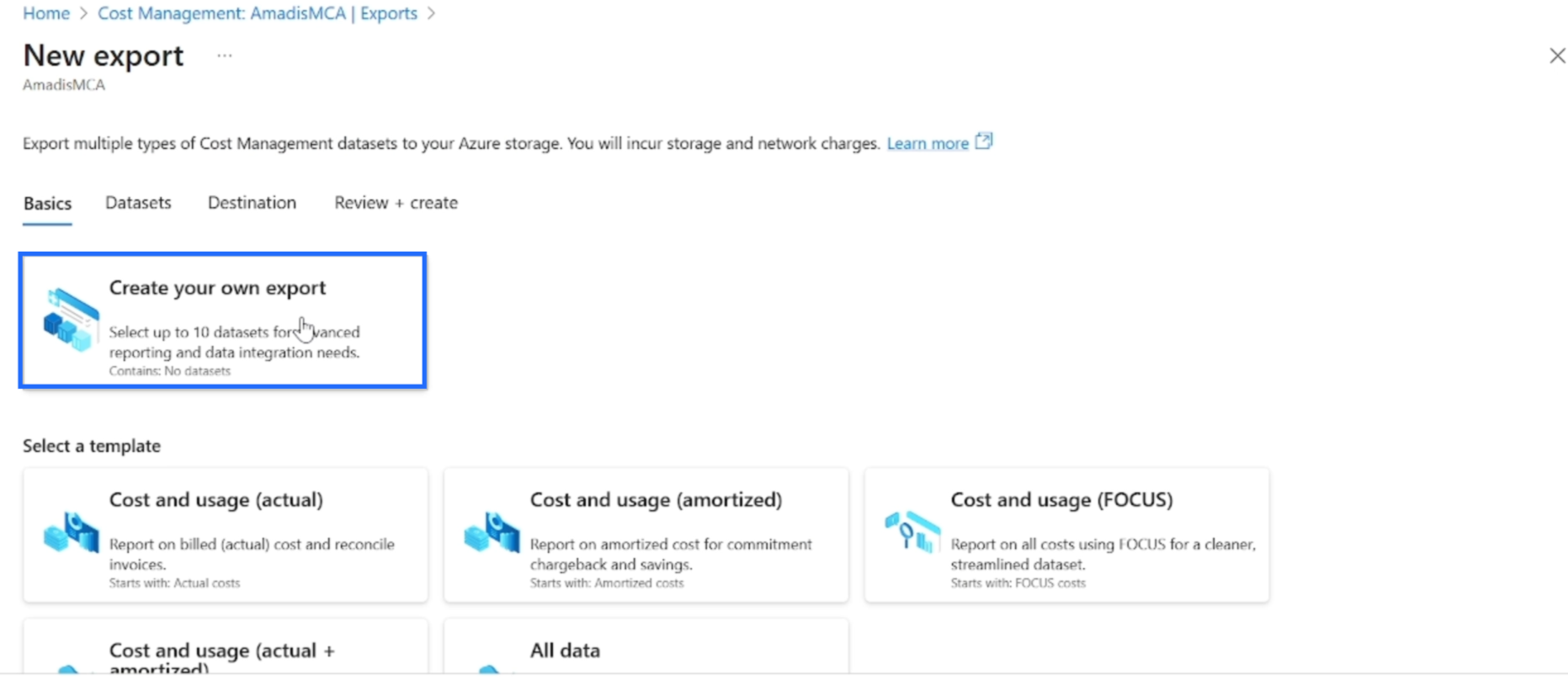
Click On : "Create your on own export".
-
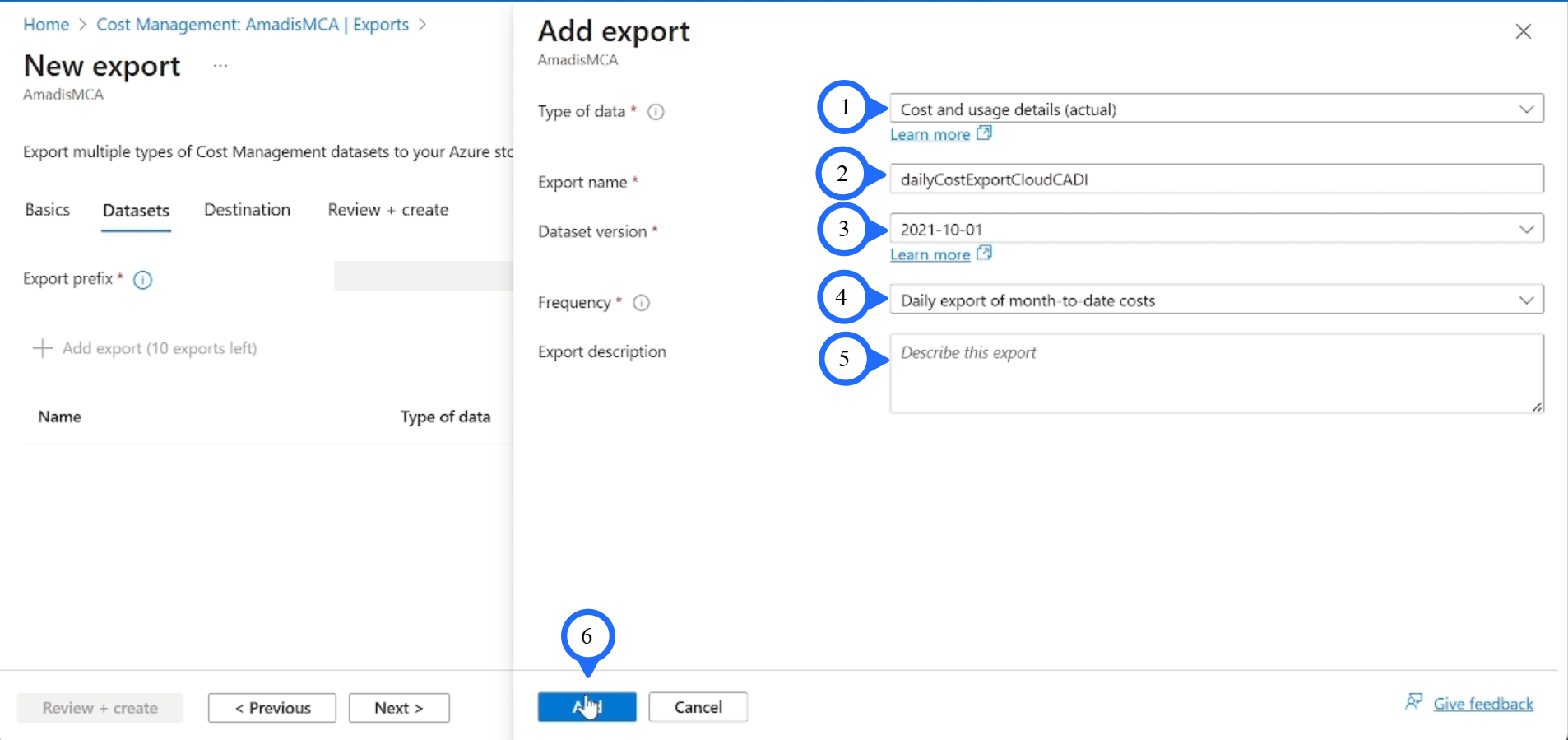
Type of Data: "Cost and usage details (Actual)".
-
Export Name : "DailyCostExportCloudCADI".
-
Dataset Version : "2021-10-01".
-
Frequency: "Daily export of month-to-date costs".
-
Click On: "Next".
-
Description : " Fill the Description ".
-
Export Prefix : "CADI".
-
Click On: "Next".
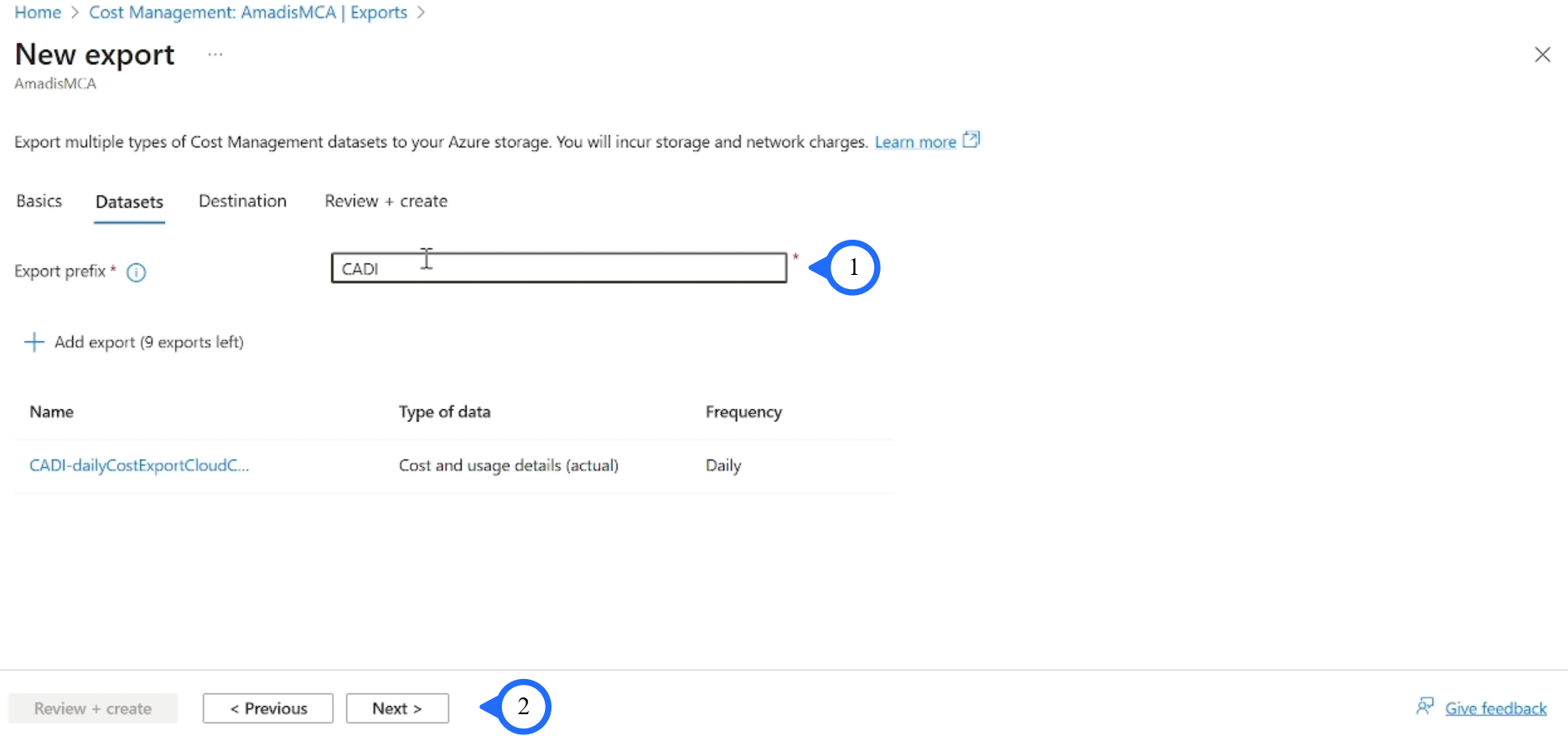
Step 2 - Section Storage
-
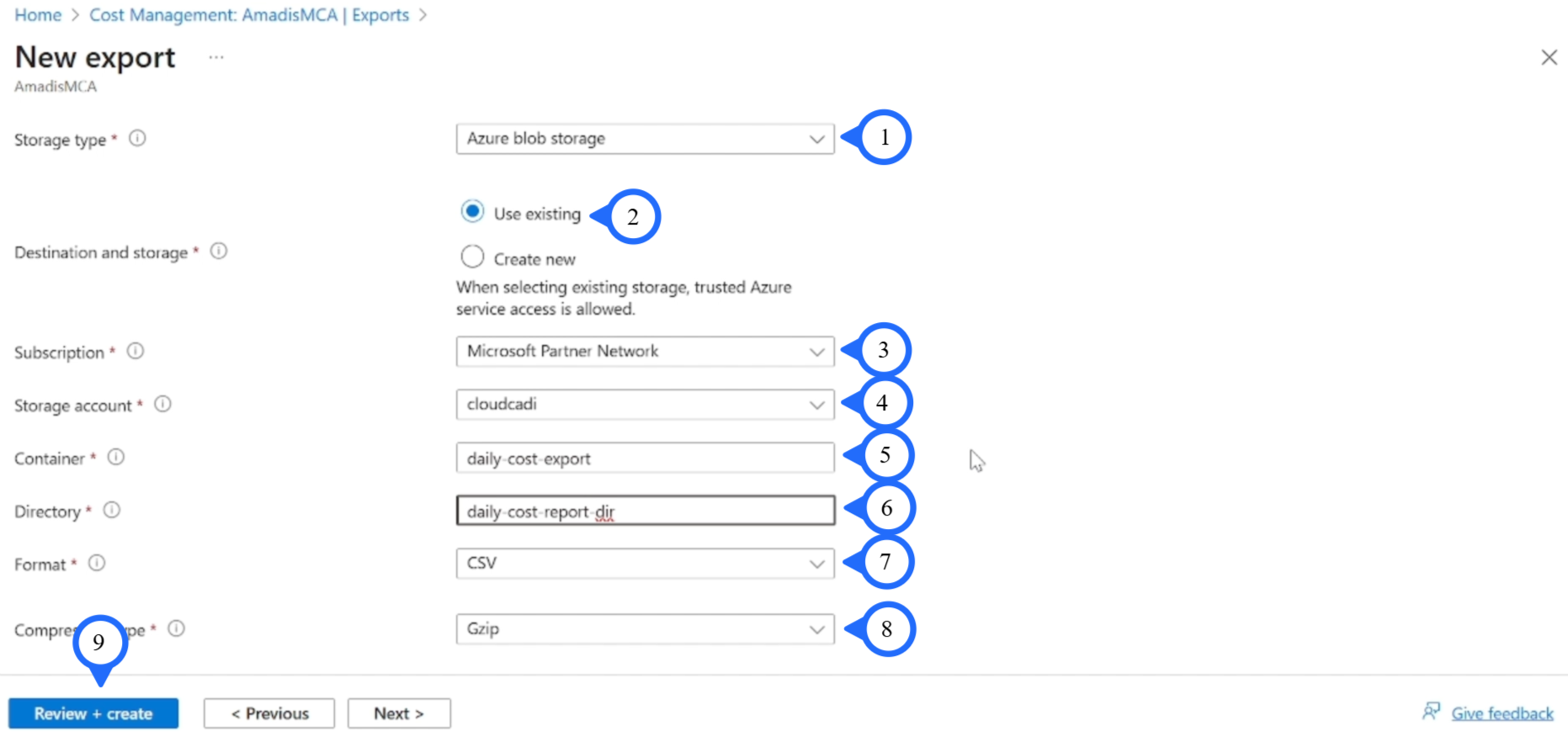
Storage Type: "Azure Blob Storage".
-
Destination: "Use Existing".
-
Subscription: "Microsoft Partner Network".
-
Storage Account: "cloudcadi".
-
Container: "daily-cost-export".
-
Directory: "daily-cost-report-dir".
-
Format: "CSV".
-
Compression: "GZip".
-
Click on "Review + Create".
-
Click on "Create".
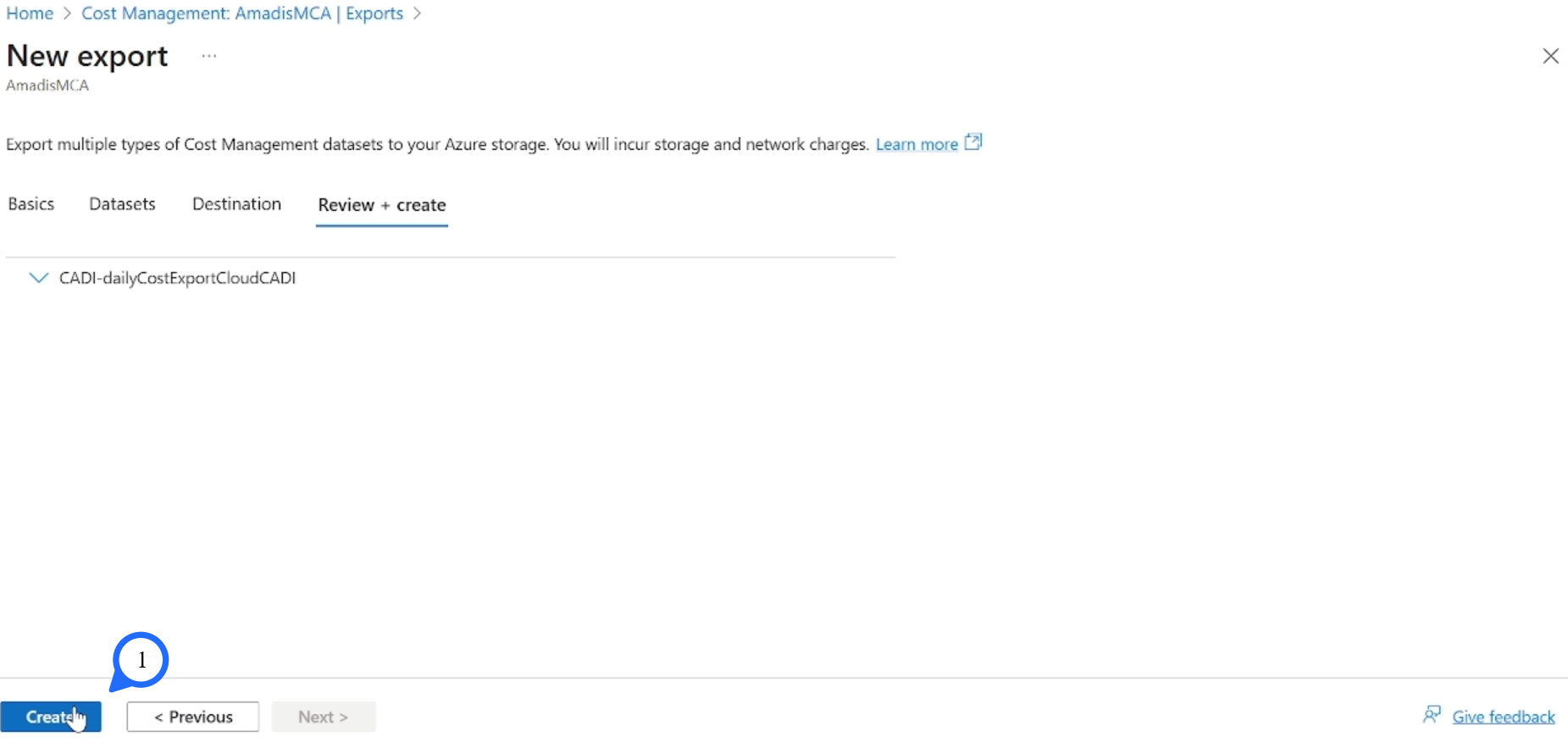
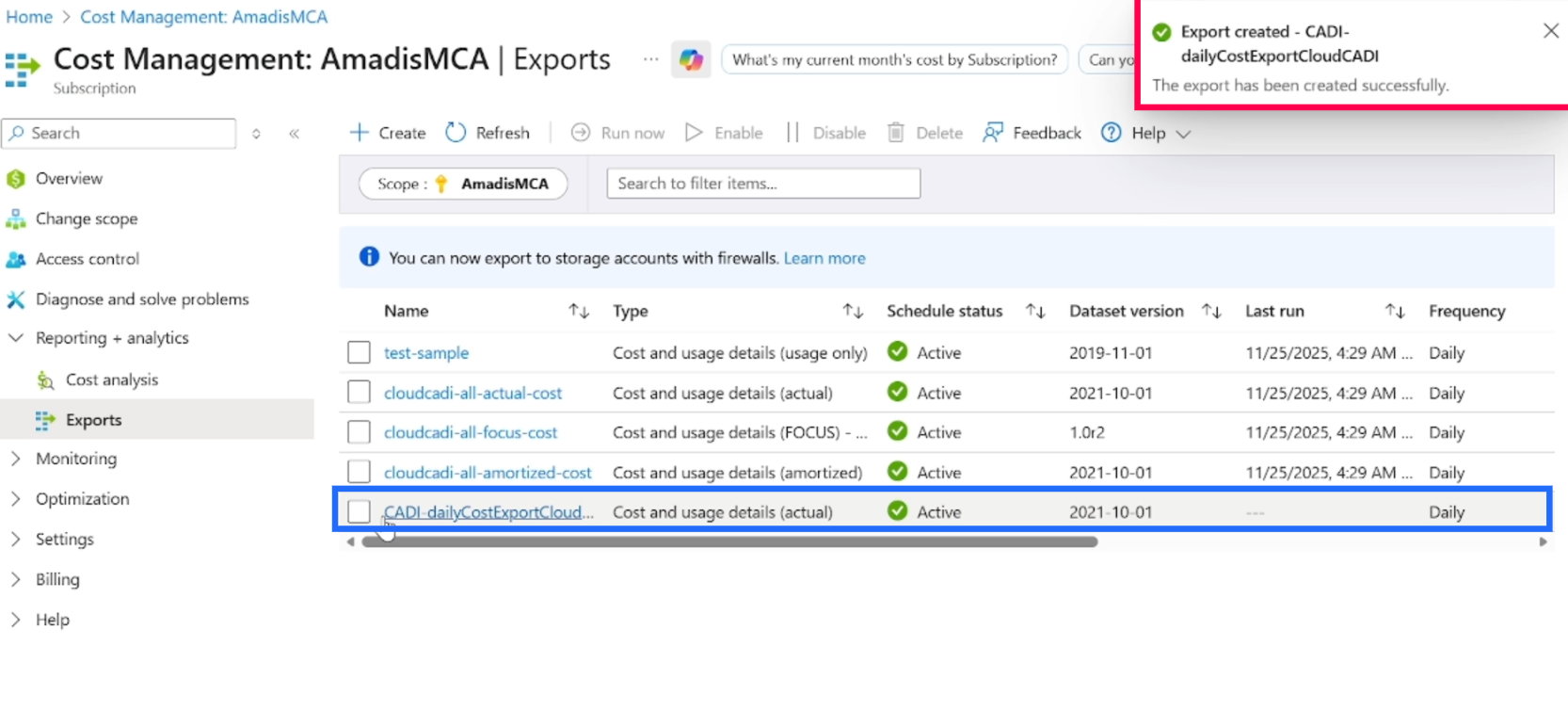
After Successfully Creation. It will be listed as below